


|
Name |
MotionCam Pro |
|---|---|
|
Google Play Link |
GET IT ON
Google Play
|
|
Category |
Photography |
|
Developer |
MotionCam |
| Last version | 6.0.0-pro |
|
Updated |
|
|
Compatible with |
Android 7.0+ |
Introduction to MotionCam Pro MOD APK
MotionCam Pro MOD is a mobile camera and video recording app built for Android devices. It focuses on RAW photo and RAW video capture, giving users deeper control over image data than a standard phone camera app. Instead of relying fully on automatic processing, it lets you work closer to the sensor level, which is why many mobile filmmakers and advanced photography fans pay attention to it.
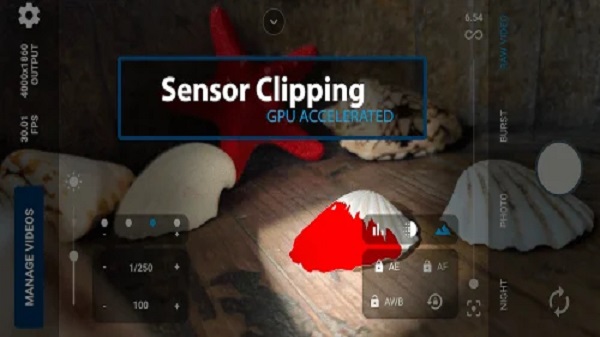
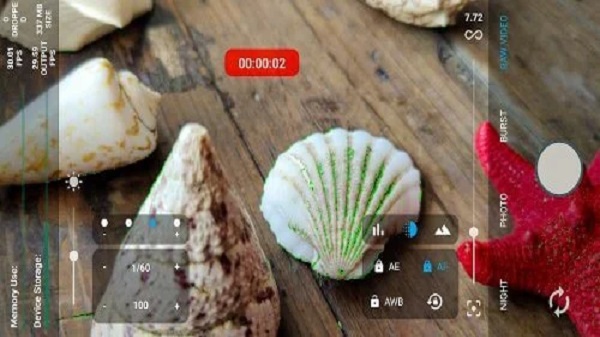
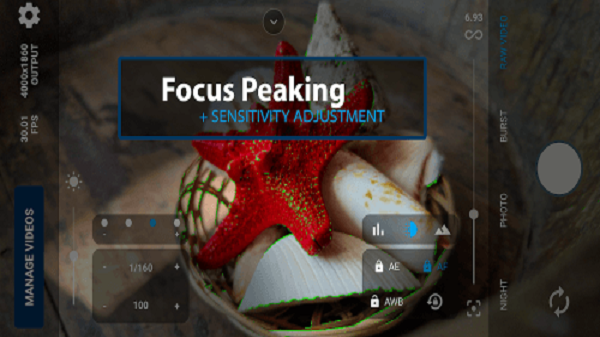
The main purpose of this app is professional-style capture on a smartphone. It supports RAW video recording, high frame rate options, and detailed exposure control. You can adjust shutter, ISO, focus, and exposure locks manually. Tools like real-time RAW histogram, focus peaking, and highlight or shadow clipping overlays help you judge each shot before you hit record, not after.
MotionCam Pro MOD also includes several shooting modes such as RAW photo, burst capture, and night mode with optional noise reduction and JPEG processing. Frame rate can be set across a very wide range, which is useful for slow motion and time-lapse work. Gyro data recording is supported too, so footage can be stabilized later with compatible tools. This makes it practical for handheld shooting where shake is hard to avoid.
The modified build is usually searched by users who want premium features available without the usual purchase limits. That can mean broader access to advanced settings and export options. For creators who test a lot of visual styles, having fewer locked controls saves time and avoids constant menu walls.
There are clear advantages here. You get detailed manual control, RAW output for heavier color grading, and pro monitoring tools on a device that fits in your pocket. It’s useful for short films, travel clips, night shots, and experimental video projects. If you already understand camera basics, the workflow feels flexible and powerful.
There are also trade-offs to know. RAW video files are large and can fill storage fast. Processing and exporting take longer and demand strong hardware. Beginners may feel lost with the number of technical controls. Some phones may also face heat or performance limits during long RAW recording sessions.
This app fits mobile videographers, content creators, and photography learners who want tighter control than stock camera software provides. It works best in planned shoots, creative projects, and test environments where you can manage storage, heat, and post-processing time.
FAQs MotionCam Pro
What is MotionCam Pro MOD used for?
+
It is used for RAW photo and RAW video capture on Android, with manual exposure, focus tools, and high frame rate recording for serious mobile shooting.
Does MotionCam Pro MOD support RAW video recording?
+
Yes. It records RAW video data directly from the sensor, which gives more flexibility for color grading and post-processing later.
Who should use MotionCam Pro MOD?
+
It suits mobile filmmakers, advanced photography learners, and creators who want manual camera control and sensor-level video output.
Are there any downsides to MotionCam Pro MOD?
+
RAW files are very large, exports take longer, and weaker phones may heat up or slow down during long recording sessions.
Can MotionCam Pro MOD record slow motion and time-lapse?
+
Yes. It allows a wide frame rate range, so you can set very low or very high FPS values for time-lapse and slow motion clips.
Discover More Interesting Apps
-
 Mod
Dazz Cam
v5.0.68
24.90 Mb
Updated -
Mod
mcpro24fps
v044dl
9.00 Mb
Updated -
Mod
AI Photo Enhancer
v1.4.4
107.27 Mb
Updated -
Mod
Kapi Cam
v4.47.0
132.01 Mb
Updated -
Mod
AI Morph
v1.36.1
29.01 Mb
Updated -
Mod
PhotoRoom
v2026.48.02
166.71 Mb
Updated -
Mod
Meitu
v12.24.6
335.23 Mb
Updated -
Mod
Fotorama
v4.1.0
94.02 Mb
Updated -
Mod
AirBrush
v8.21.0
375.74 Mb
Updated -
Mod
Retake AI
v4.2.5
165.72 Mb
Updated








Share Your Thoughts